PFPX AIRAC Validation
Validate your vAMSYS routes against the current AIRAC cycle using PFPX software.
Community Contribution
This guide was contributed by Jan Podlipský (TVS32) from Smartwings Virtual.
Prerequisites
Own a copy of PFPX (Download edition is enough, no server subscription needed)
Have the latest AIRAC installed in PFPX (via Navigraph)
For European routes, install the RAD (Route Availability Document) for your AIRAC cycle
Export Routes from vAMSYS
Currently there is no official vAMSYS exporter for PFPX, so you need to convert the routes CSV into a compatible format manually.
The PFPX format is: DEP_ICAO""DEST_ICAO";"DEP_ICAO" "ROUTE" "DEST_ICAO"
For example: LKPRLIEE;LKPR VOZ DCT PISAM DCT TAGAS DCT RADLY DCT NIKOL DCT APSUX DCT DEXUL Q125 KOVAS LIEE
Use this Google Sheets/Excel formula on your vAMSYS Routes CSV:
=C2&E2&";"&C2&" "&K2&" "&E2Paste the entire column of generated routes into a TXT file.
Import into PFPX
Open PFPX and click the globe icon
Navigate to Route Data → Route Database
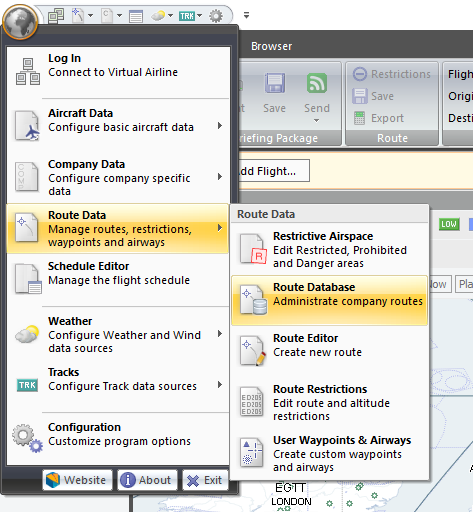
Click Import and select your saved TXT file
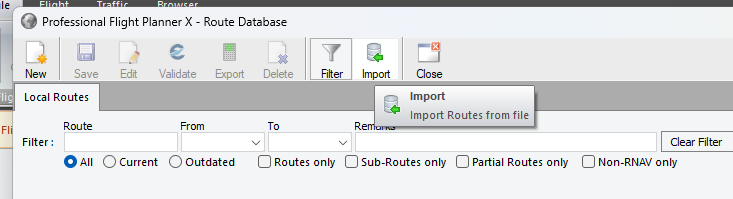
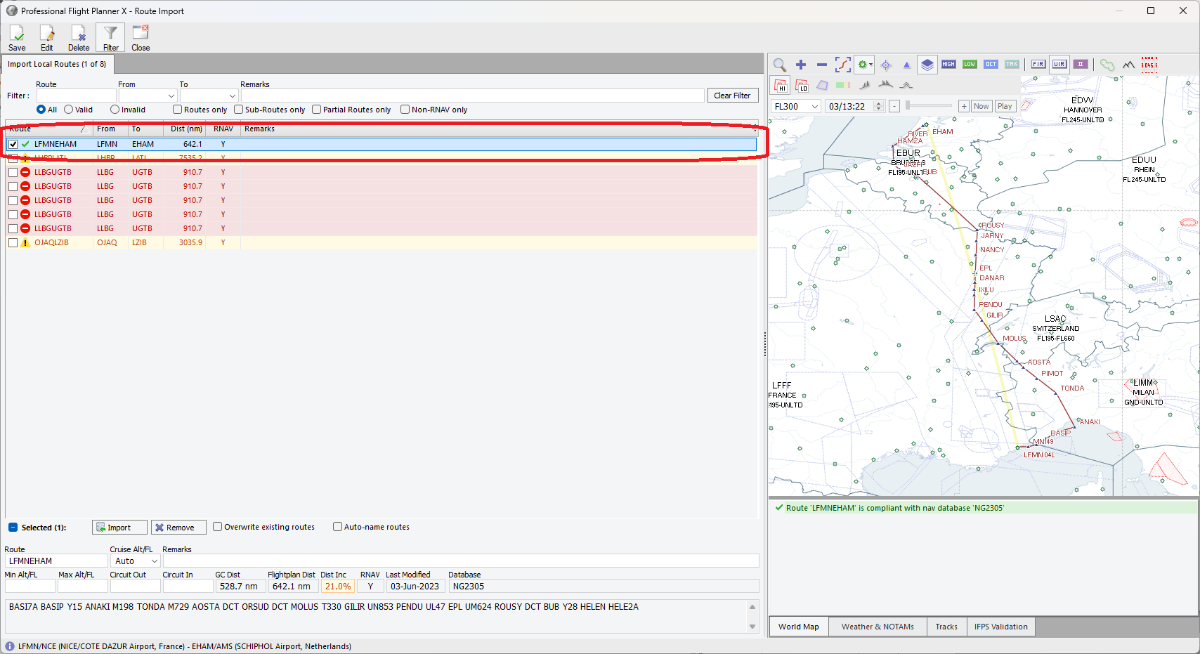
PFPX will import the routes and highlight any invalid ones
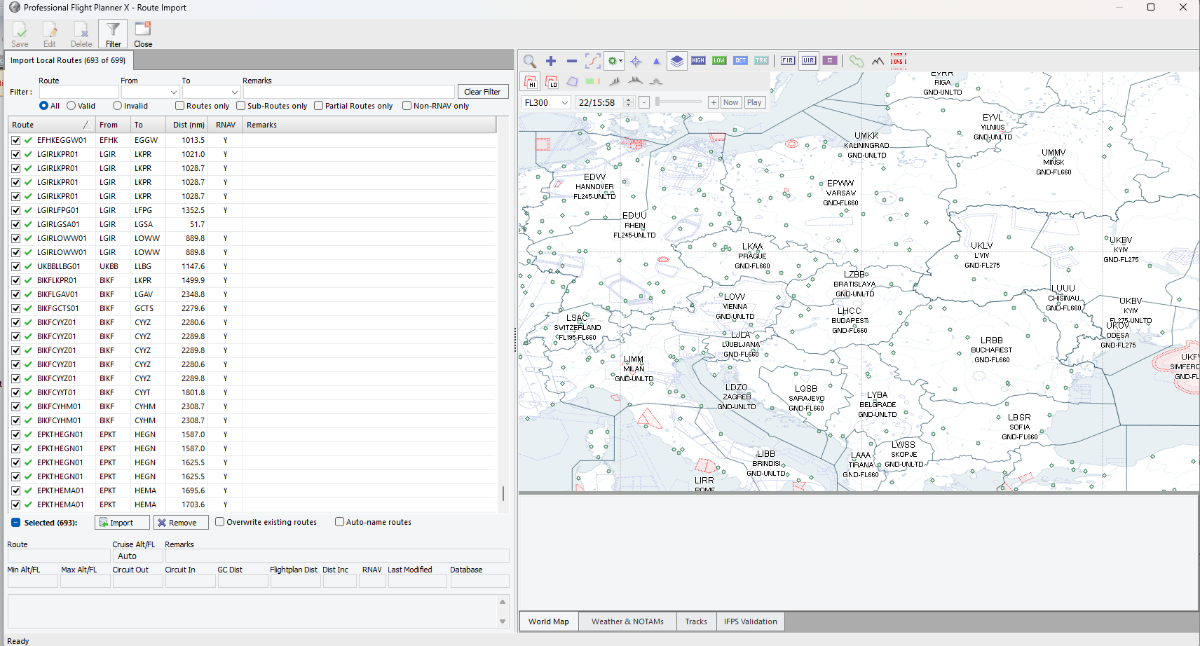
After import completes, filter to show only Invalid routes
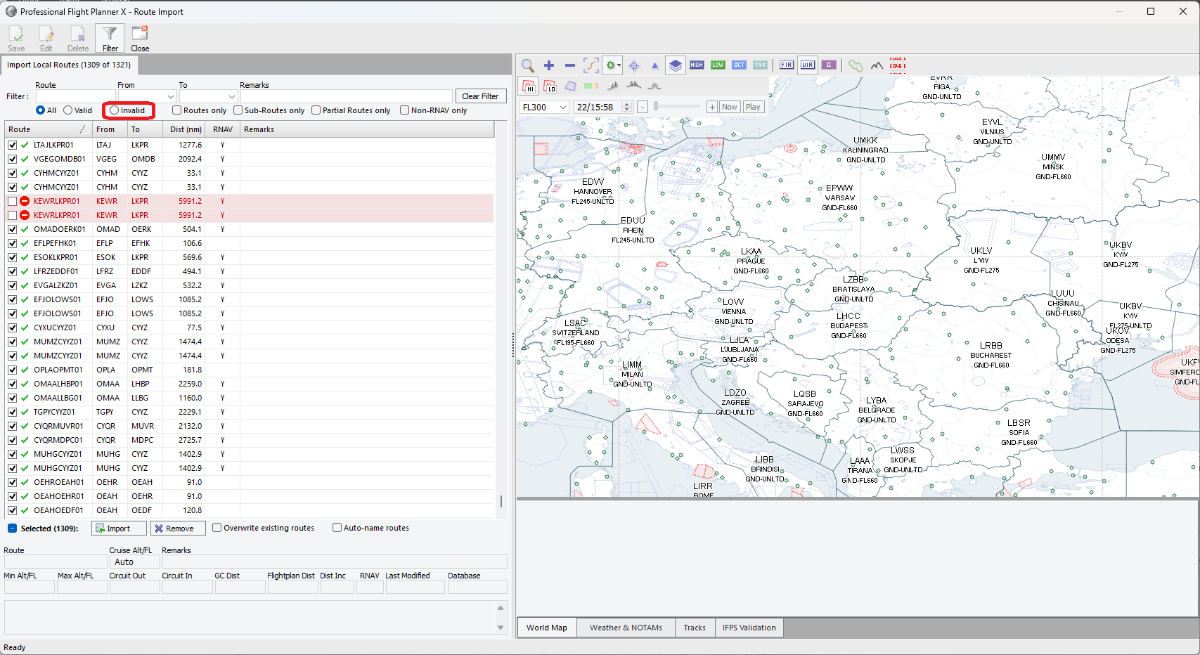
Clean Up Valid Routes
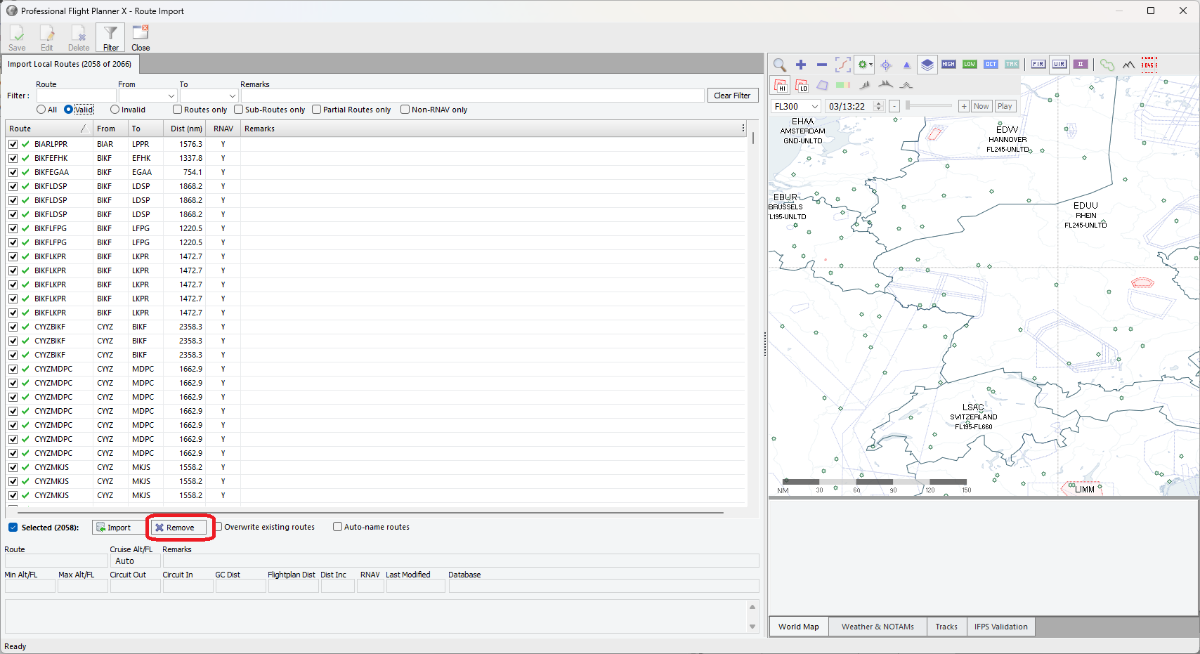
Since we only care about invalid routes, remove the valid ones:
Set filter to "Valid"
Select all valid routes and delete them
Switch filter to "All" to see only invalid routes remaining
Fix Invalid Routes
You can regenerate routes directly in PFPX:
Double-click on an invalid route
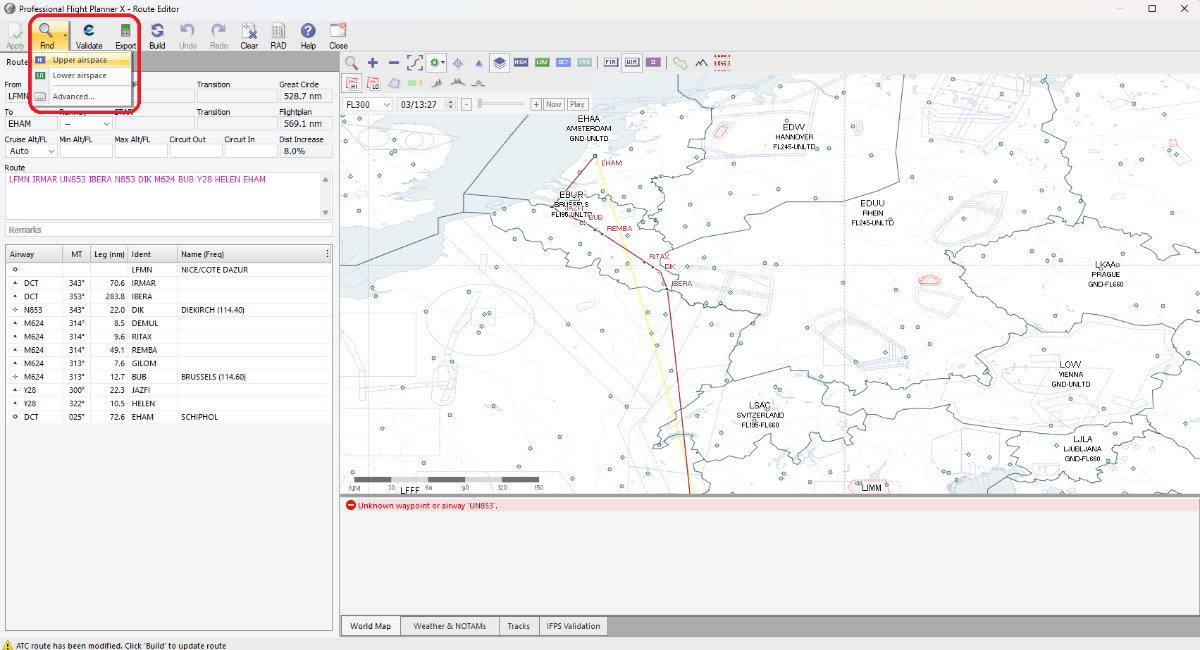
Click "Build" to generate a new valid route
Click "Apply" to update the route
Export the finished routes from Route Database to get them in text format for updating vAMSYS
Tip
You can also note down the invalid routes and generate new ones using SimBrief or other flight planning tools before updating them in vAMSYS.
Thank you for your feedback!
Your input helps us improve our documentation.
